What is .git folder and how it works?
Let’s know about .git folder and it’s work. There are some questions which should comes in mind. What is in .git folder? and How .git folder manages the files? .
How does .git folder create?
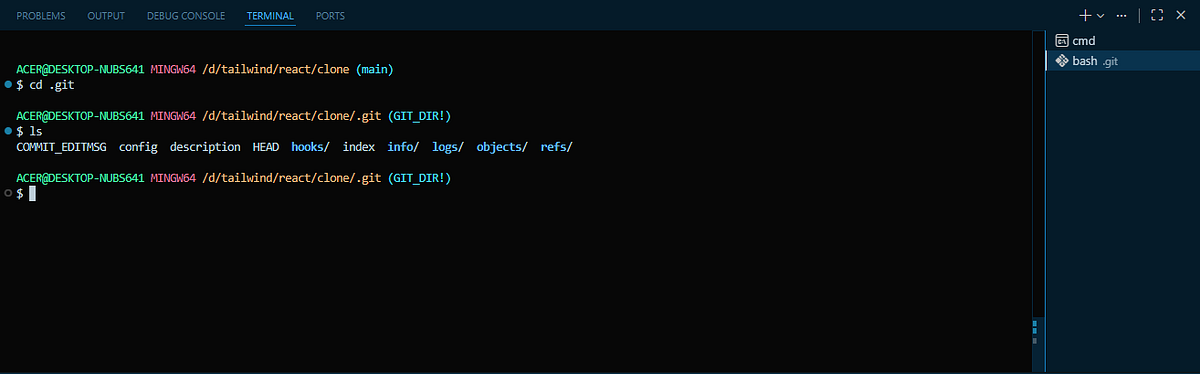
Firstly, git must be install in our system then run a command in your code editor “git init”. It creates the .git folder in current working directory. This folder is a hidden folder which we can not see normally like other folders. We can access through bash console write simply ‘cd .git’ and then ‘ls’ for access files and folder inside .git folder, Below you can see in this image :-
What does .git folder do?
.git folder track our code in such a manner and precise way which files should be track or not. git gives us full control to manage through git commands like git init, git add . , git commit -m <message> , git status, git log, etc. Now, what do I mean track the code the main part and focus on it track word because the main reason of git existence. git track insertion, deletion of code, create or delete file everything even if we don’t want to git track a particular file so we can also manage it. These all data and track records store in .git folder.
How .git folder track the files?
So, basically git does not track the files and folder automatically. We define it which file should be track or not which as I mentioned before. git track the code through git add command if we want to track a specific file so the command is “git add <file_name>” and for all files and folder “git add .”. Let’s take look in this picture.
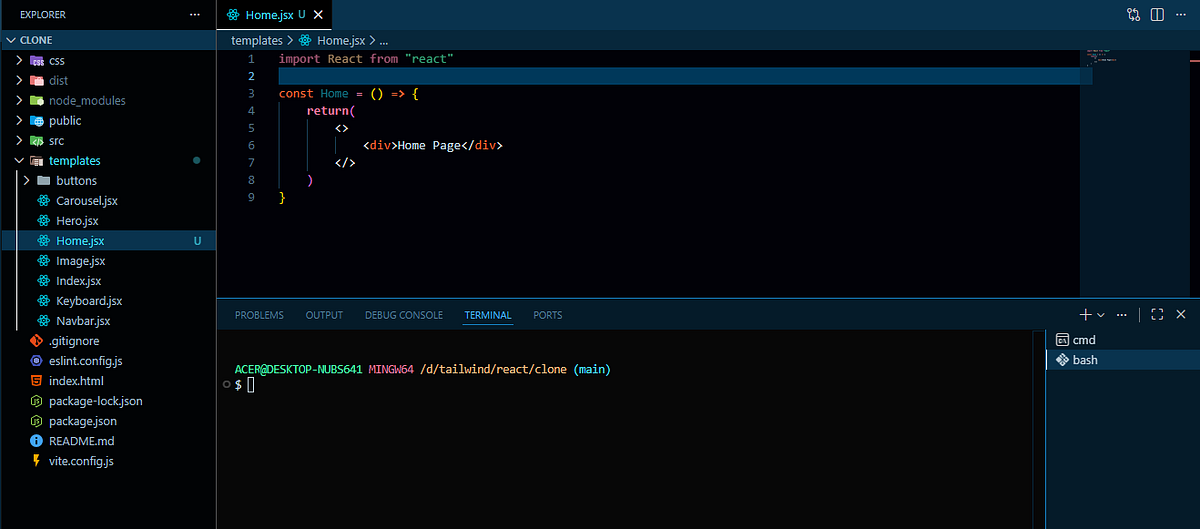
In this time you can see on the ‘Home.jsx ’ has symbol “U” that means in this stage it is untrack by git.
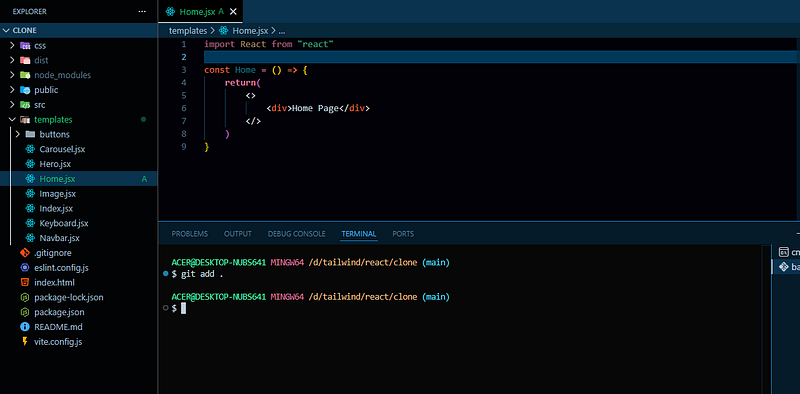
Now what happen if I run the “git add .” then it moves to staging area and the symbol change into “A” means Added (staged). Here you can see in this image.
After tracking, What’s next?
Now, it’s time to run “git commit -m <message>” after run the commit command the git save the file from staging area with message. Every commit generate a Unique Id. In the .git folder every commit saves in objects folder. Inside the objects folder every folder name start with their commit starting 2 letter see in the below image.
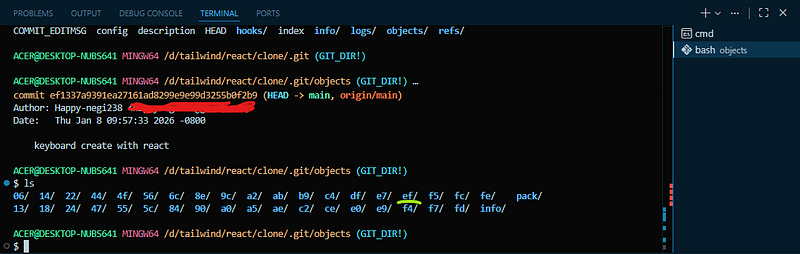
In this image you can see the commit id above the red mark which start with ‘ef’ and the same thing you can see inside the objects folder with the green mark ‘ef’. Inside the ef folder a file exist which name is rest of the commit character. See the commits run “git log” command. If you focus on this image so you see a line ‘keyboard create with react’ it was my last commit message.
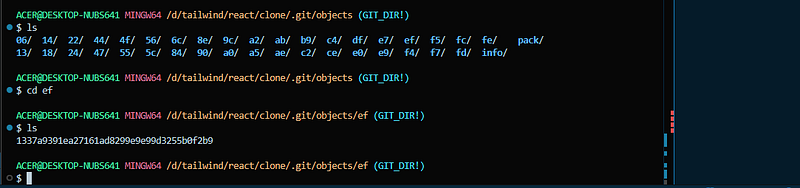
If we “cat <file_name>” it helps to print file content so it is not in human readable form.
I hope who are reading this blog find something useful.